User Interface
General Pannels
To understand the UI of the addon’s pannels, see: Quick Start (+how to join/host/manage). In addition to presenting the UI, it explains how to use it.
Presence
Presence is the multi-user module responsible for displaying user presence. During the session, it draw users’ related information in your viewport such as:
Username
User point of view
User active mode
User selection
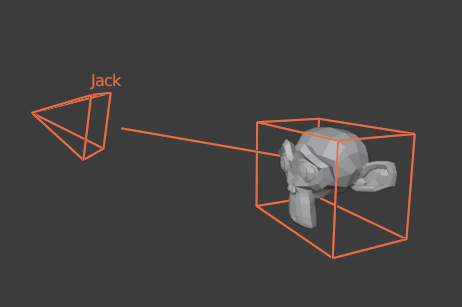
Presence overlay
Presence settings
The presence overlay panel allows you to enable/disable various drawn parts via the following flags:
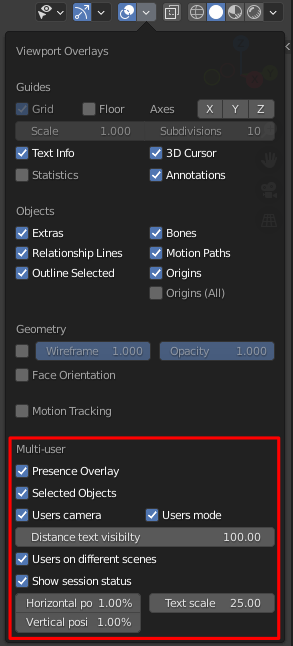
Presence overlay settings
Presence Overlay: display presence overlay
Selected objects: display other users’ current selections
Users camera: display users’ current viewpoint
Users mode: display users’ current mode
Distance text visibility: display text of the overlay at this maximal distance
Users on different scenes: display users working on other scenes
Show session status: display the session status in the viewport
Vertical/Horizontal position: session position in the viewport
Text scale: session status text size